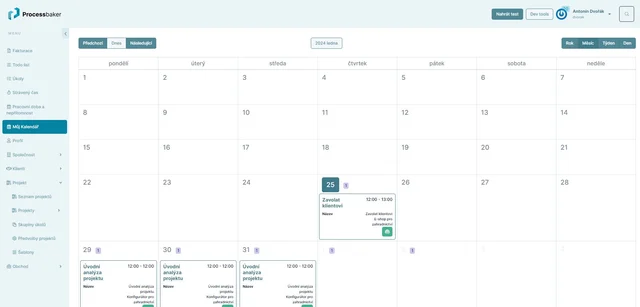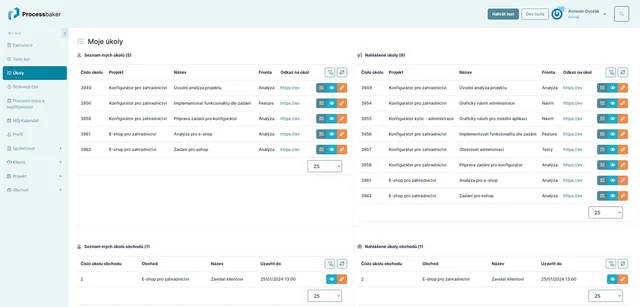
This module allows the creation and editing of screens for system users. Systembaker contains an extensive range of widgets for screen creation.
Fine-tuned Screens for Users
- Systembaker provides users with great freedom in creating screens (dashboards). A wide range of configurable elements (widgets) is available.
- Screen configuration is intuitive using drag and drop - the user chooses a widget and drags it to the desired location on the screen. The appearance of the screen can be changed instantly, and the change is displayed to users immediately after saving the screen.
- Each widget can be further customized as needed, changing its behavior, display conditions, size, appearance (widget background, borders, indentation, alignment, etc.)
- For display on mobile devices, you can set the order of widgets to be displayed to users on mobile devices.
- When and to whom a particular screen is displayed can be set using processes - see processes.
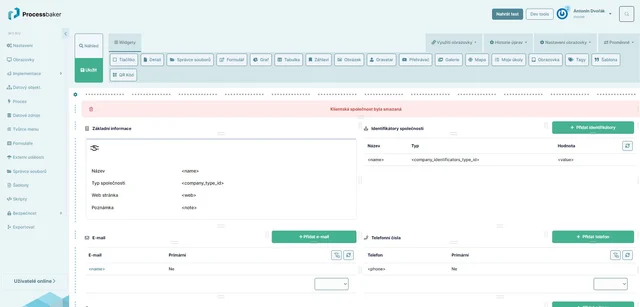
You can add the following widgets to screens, for example:
- Buttons
- You can set actions that will be performed...
- open a form, dialog box...
- open a file or download and print it...
- start a process (which might delete a specific item)...
- buttons can have conditions for when to show/hide them...
- You can set button properties, for example:
- label, text size, alignment, and grouping of buttons...
- icon (button can have an icon or no icon, you can choose the desired icon from the icon library)...
- color scheme (color schemes can be globally adjusted in the system settings)...
- User confirmation can be required before the action is performed...
- Show a tooltip for the button (text displayed in a popup when the mouse hovers over the button)...
- You can set actions that will be performed...
- Text elements - headlines of various levels with the option to add an icon, WYSIWYG editor
- File Manager
- Forms
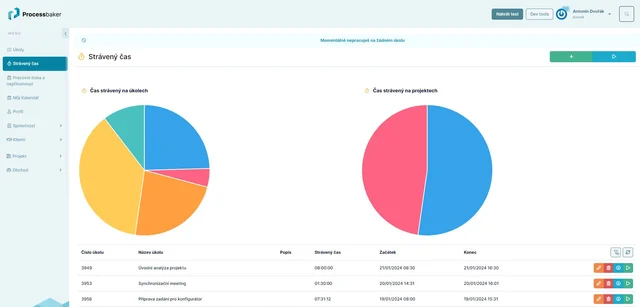
- Charts - line, pie, bar
- Grids - including various styles of data display, such as:
- tables,
- screens,
- sections,
- calendar,
- chat,
- Kanban.
- Image Gallery
- Task List
- Map
- Media Player
- Screen
- Tags
- Templates
- QR Codes